See a recipe.
Know the macros.
Paste a link, drop a screenshot, or type it in. Caption Cook uses AI to break down any recipe into protein, carbs, and fat... instantly.
No spam. We'll only reach out when we launch.
You find the perfect recipe on social media
Buried in a caption. No measurements. No nutrition info. Just ingredients and instructions.
Screenshot it.
Or copy the URL. Or copy the whole recipe. Caption Cook accepts recipes from anywhere, links, text, screenshots from Instagram, TikTok, cookbooks, anything.
Drop it in.
Or paste the link. Or type it in. One tap to import. Caption Cook's AI reads your screenshot and extracts every ingredient, measurement, and instruction automatically.
AI does the heavy lifting.
Powered by advanced AI models, Caption Cook identifies ingredients, reads quantities, and calculates nutrition with up to 95% accuracy. All in seconds.
Protein. Carbs. Fat. Done.
A clean recipe with full macro breakdown per serving. Original, metric, or imperial measurements. Scale servings up or down. Save it to your library.

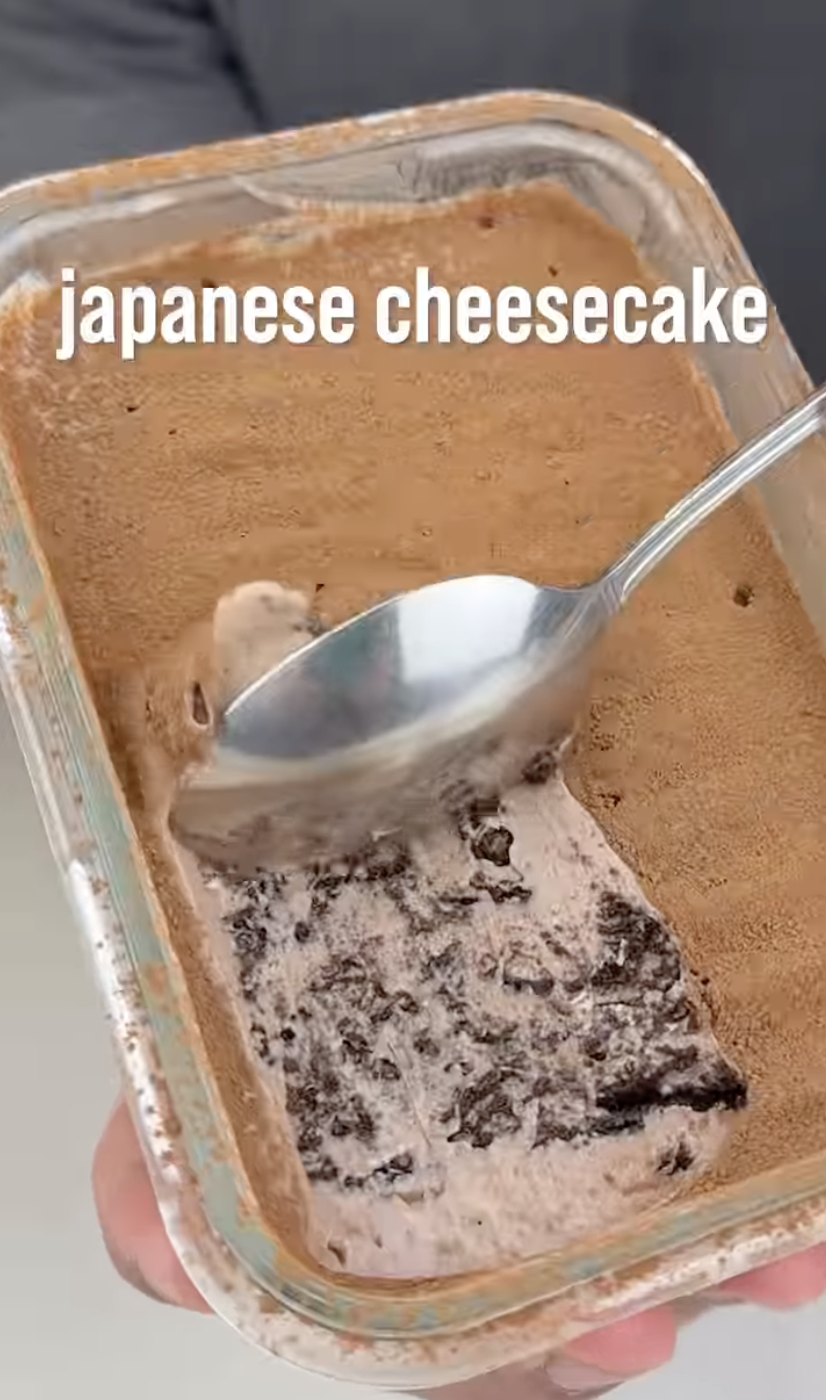
Ingredients:
• 1 cup fat free greek yogurt, plain
• 1 tbsp unsweetened cocoa powder
• 1 tbsp light cream cheese (95% light)
• 1 scoop protein powder (dark chocolate)
• 1 tsp sweetener (stevia works great)
• 1/4 tsp salt
• 6–8 oreo thins without cream filling
Be the first to know.
Drop your email and we'll notify you the moment Caption Cook launches.
No spam. We'll only reach out when we launch.
How It Works
Capture any recipe
Screenshot it from Instagram or TikTok, paste a link from any food blog, or type the recipe directly. Three input methods, one result.
AI breaks it down
Our AI reads the recipe and calculates the full nutritional profile, calories, protein, carbs, and fat per serving. Handles unit conversions automatically.
Cook with confidence
Get a clean recipe with macro breakdown, adjustable servings, and measurements in original, metric, or imperial. Saved in your library.
Everything you need to cook smarter
Screenshot. That's it.
No more fighting with links that don't work. Just screenshot the recipe from anywhere and upload it. Our AI reads it like a human would.
Paste a link. Paste a text. Done.
Got a URL from a food blog or recipe site? Paste it in and Caption Cook fetches and parses it automatically. No copy-pasting required.
Protein. Carbs. Fat. Per serving.
Every recipe gets the macros calculated by AI. No more guessing or manual calorie counting.
Original. Metric. Imperial.
Toggle between measurement systems with one tap. AI handles all unit conversions. No more mental math and guesstimation.
Cooking for one or five? Scale it.
Adjust servings from ½ to 3x and all ingredients update automatically. Perfect portions every time.
Save. Search. Cook. Repeat.
Build a personal collection of recipes. Favorite the ones you love. Search when you need them. Your recipes, always ready.
Start cooking smarter
We're almost ready. Join the waitlist to be notified at launch.
Join the Waitlist ↑Simple pricing. Cancel anytime.
Unlimited recipes. Save 58%, just $1.67/mo.
Join WaitlistUnlimited recipes forever. One payment, equal to 2 years of monthly.
Join WaitlistAll paid plans include a 14-day refund guarantee. No questions asked.
Frequently asked questions
Instagram, TikTok, and Facebook block apps from reading their content — it's just how they're built. Rather than give you unreliable results, we made the screenshot feature for exactly this. Take a screenshot of any recipe post, upload it, and we'll pull everything from the image. Works every time.
Our AI estimates calories and macros with about 90% accuracy. It's great for general tracking, but if you need precise numbers for medical reasons, we recommend consulting a nutritionist.
Some websites make it tricky to read recipes. If something looks off, try uploading a screenshot of the recipe, or pasting the text directly. You can adjust things in the preview before saving.
You can use the app right away. We'll send a verification email, but it's only needed if you ever forget your password and need to reset it.
You keep access until the end of your billing period. After that, you'll switch to the free plan. Your saved recipes stay safe, you won't lose anything. To add new recipes, you'll need to delete some to get under the 5 recipe limit, or upgrade again.
Yes. If you're on a yearly or lifetime plan and request a refund within 14 days of purchase, we'll process it, no questions asked. Contact us at support@captioncook.app.
All your recipes and data are permanently deleted. If you have an active subscription, it will be cancelled. This can't be undone.
Email us at feedback@captioncook.app. We read everything and genuinely appreciate hearing from you.
Still have questions? Email us at support@captioncook.app
Your next recipe is waiting.
Be the first to know when Caption Cook launches.
No spam. We'll only reach out when we launch.